If you have recently bought a Hume Band, you are likely excited about tracking your health metrics. But let’s be honest, technology can sometimes have issues. That is why understanding your protection plan is so important. Many people ask about Hume Band Warranty Registration Online because they want to make sure their device is safe for the long haul. This guide will walk you through everything you need to know. We will look at how to register, how to make a claim, and exactly what is covered. We will use simple words so everything is easy to understand.
Your Hume Band is an investment in your health. Just like you take care of your body, you should take care of the device that helps you monitor it. Knowing the rules of your warranty can save you time and money if something goes wrong. Whether you have the standard plan or the extended one, this post will help you navigate the process with confidence.
Understanding Your Hume Band Warranty Options
Before we talk about how to register, it is vital to know what kind of protection you actually have. The Hume Band does not just have one single warranty. There are different layers of coverage depending on when you bought it and what extra options you chose.
The Standard 1-Year Warranty
Every single Hume Band comes with a basic warranty right out of the box. You do not have to pay extra for this. It is included at no cost. This standard plan lasts for one full year from the day you buy it.
What does this one-year plan cover? It is quite generous. It covers hardware issues and sensor problems. This means if the band stops working because of a factory mistake, you are protected. Even better, this standard 1-year warranty includes coverage for accidental damage. If you drop your band or accidentally break it within the first year, you are covered. Specifically, the 1-year plan allows for up to 2 free replacements if accidental damage occurs. This is a great safety net for the first year of ownership.
The Optional 10-Year Extended Warranty
For those who want protection for much longer, there is an optional upgrade. This is often called the “Lifetime Warranty” or “10-year warranty.” You can usually add this when you are checking out your purchase on the website, or buy it separately later.
This long-term plan is designed to cover manufacturing defects and functional issues for a full decade. It ensures that if the device fails due to how it was made, you are covered for ten years. However, it is very important to note a key difference here. While the 1-year plan covers accidental damage, the 10-year plan does not explicitly include accidental damage in its coverage. The 10-year plan focuses on defects and functional problems that happen over time.
If you choose this 10-year plan, you get significant benefits. It includes up to 2 free replacements during that 10-year period. If you need more than two replacements, you can get additional ones at 50% off the regular price. This makes it a strong option for long-term users who want to ensure their device works correctly for years.
How Much Does the Extended Warranty Cost in 2026?
One of the most common questions is about the price of the extended plan. Prices can vary slightly depending on where you look and if there are any sales happening.
Based on the latest information from 2026, here is what you need to know about the cost:
- Standard List Price: The official price for the Hume Band Lifetime Warranty is often listed at $50 USD.
- Discounted Price: There are often promo codes available. For example, using codes like “HUMEREVIEW20” can drop the price to around $40 USD.
- Alternative Pricing: Some sources and checkout pages for the newer Hume Band 2.0 show the extended warranty available for $31 USD or $35 USD. The price seems to fluctuate between $31 and $50 depending on the specific product page and current promotions.
Because these numbers vary, it is best to check the current price on the official website when you are making your purchase. The cost is a one-time fee that extends your coverage from just one year to ten years. Considering that it covers you for a decade and includes free replacements for defects, many users find it to be a valuable addition.
| Warranty Type | Coverage Duration | Accidental Damage | Free Replacements | Cost Estimate (USD) |
|---|---|---|---|---|
| Standard | 1 Year | Yes (Up to 2) | 2 | $0 (Included) |
| Extended | 10 Years | No (Defects Only) | 2 | $31 – $50 |
Hume Band Warranty Registration Online: What to Fill
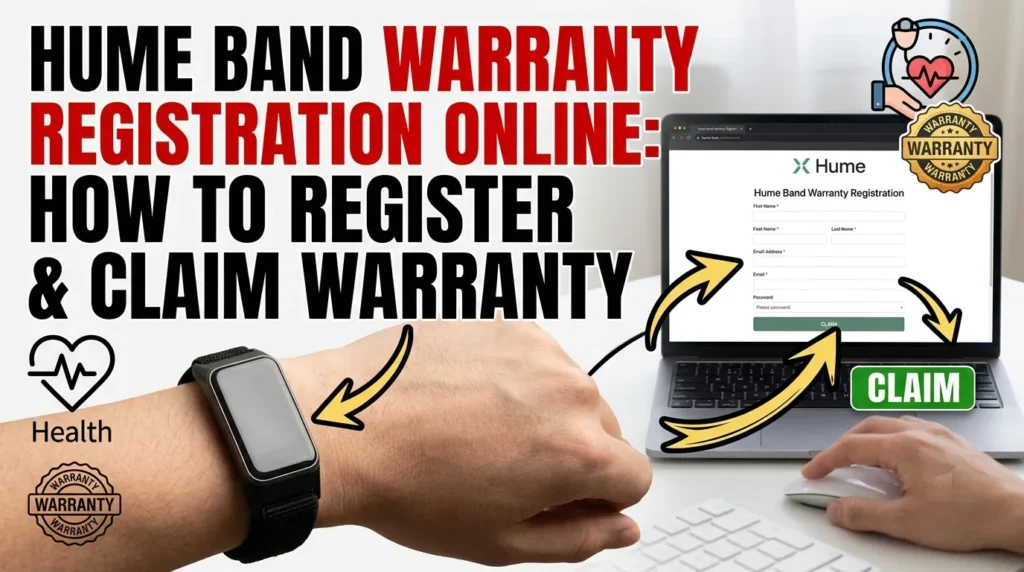
Now, let’s get to the main topic: Hume Band Warranty Registration Online. Many people think there is a complicated form to fill out on a separate website. However, the process is often tied to your purchase and support interactions. If you bought the extended warranty at checkout, it is usually linked to your order automatically. But if you need to register it later or file a claim, you will need to provide specific details.
Based on the official information, here is exactly what you have to fill in or provide to ensure your warranty is active and ready to use.
Required Information Checklist
To make sure your registration or claim is accepted immediately, gather these specific details before you start. You will likely need to fill in a form or send an email with the following:
- Your Personal Details:
- Full Name: Your first and last name as it appears on your ID or order.
- Email Address: The email you used to buy the band. This is crucial for communication.
- Mobile Number: Your current phone number in case support needs to call you.
- Product Identification:
- Product Model: Simply type “Hume Band” (or “Hume Band 2.0” if you have the new version).
- Serial Number (S/N) or Product ID: This is a unique code for your specific device. It is usually a mix of letters and numbers (e.g., HB12345XYZ).
- Where to find it: Look for a sticker on the bottom or back of the original box. It is often labeled “S/N” or “Serial No.” If you have already set up the band, you can also find this number in the Hume Health app under Device Settings > About or Device Info.
- Proof of Purchase:
- Order Number: A code like #ORD-998877 found in your receipt email.
- Purchase Date: The exact day, month, and year you bought the device.
- Receipt Document: You will need to upload a photo, screenshot, or PDF of your email receipt or bank statement showing the transaction.
- Issue Details (Only if you are making a claim):
- Description: A short, clear sentence about what is wrong (e.g., “Sensor stops working after 10 minutes”).
- Evidence: Photos or a short video showing the damage or the functional issue.
Simple Registration Table
Here is a quick table showing exactly what fields you will likely see and what to put in them:
| Field Name | What to Fill In | Where to Find It |
|---|---|---|
| Full Name | Your first and last name | Your ID or Order Email |
| Email Address | The email you used to buy the band | Your Order Confirmation |
| Mobile Number | Your current phone number | Your Phone Settings |
| Product Model | Type “Hume Band” | On the device box |
| Serial Number (S/N) | A mix of letters and numbers | On the box or in the App |
| Purchase Date | Day/Month/Year you bought it | Your Receipt or Bank Statement |
| Order Number | A code like #ORD-998877 | Your Email Receipt |
| Proof of Purchase | Upload a photo or PDF of the receipt | Your Email Inbox |

Quick Tips for Success
- Double-Check the Serial Number: One wrong letter can delay your claim. Copy it exactly as it appears on the box.
- Keep it Digital: Save a photo of your receipt and the Serial Number sticker on your phone. This makes filling out the form much faster if you ever need it.
- Be Clear on the Issue: If you are claiming a repair, write a simple sentence instead of a long story.
Having this information ready before you visit the website makes the Hume Band Warranty Registration Online process take less than 5 minutes.
Step-by-Step: How to Claim Your Warranty
So, something has gone wrong with your band. Maybe a sensor stopped working, or you had an accident. How do you actually use your warranty? The claim process is straightforward, but you must follow the steps carefully to get your replacement quickly.
Step 1: Contact Customer Support
The very first thing you must do is reach out to the Hume Health team. You cannot just send the device back without talking to them first. The warranty claim process officially begins by contacting customer support.
You can contact them via email at support@myhumehealth.com or use the live chat on their official website (humehealth.com). When you contact them, clearly state that you are making a warranty claim. Tell them if you think it is a manufacturing defect or accidental damage. This helps them direct you to the right team.
Step 2: Submit Proof of the Issue
This is a crucial step. You cannot just say the device is broken; you have to show it. The claim process requires you to provide evidence of the issue.
Specifically, you will need to submit:
- Photos: Clear pictures showing the damage or the issue.
- Videos: Sometimes a video is needed to show a functional problem, like a sensor not lighting up.
Make sure your photos are well-lit and clear. If there is physical damage, take pictures from different angles. If it is a software or sensor glitch, a short video showing the problem is very helpful. This evidence allows the support team to verify your claim quickly.
Step 3: Provide Purchase Documentation
Along with the photos of the broken device, you must send your proof of purchase again. Remind them of the original purchase date and attach that receipt you saved earlier. This confirms that you are still within your warranty period (either the 1-year or the 10-year plan).
Step 4: Receive Your Replacement
Once the team reviews your photos, videos, and receipt, they will approve the claim. If approved, the process ends with you receiving a replacement device.
- If you are under the 1-year plan and it was accidental damage, you can get up to 2 free replacements.
- If you are under the 10-year plan and it is a defect, you can get up to 2 free replacements.
- If you need more replacements after using your free ones, the 10-year plan gives you a 50% discount on additional units.
The team will guide you on how the new device will be shipped to you.
Important Differences: Accidental Damage vs. Defects
It is very important to understand the difference between “accidental damage” and “manufacturing defects.” Confusing these two can lead to a rejected claim.
Manufacturing Defects are problems that happen because of how the device was made. Examples include a button that never worked, a sensor that fails on its own, or a battery that dies too fast without use. Both the 1-year and the 10-year warranties cover these issues.
Accidental Damage is when you cause the break. This includes dropping the band, cracking the screen, or getting it wet if it wasn’t supposed to be.
- The 1-Year Warranty covers this. You get 2 free replacements for accidents in the first year.
- The 10-Year Warranty does not explicitly cover accidental damage. If you break your band in year 3, and you only have the 10-year defect plan, it might not be covered.
This is why keeping your band safe is important, especially after the first year. Some users look for third-party insurance options for accidental damage if they want coverage beyond the first year.
The 45-Day Risk-Free Trial
In addition to the warranty, Hume Health offers a very friendly return policy. If you buy the band and decide it is not for you, you have 45 days to test it.
This is called a “risk-free” trial. If you return it within 45 days, you can get a refund. Even better, the company covers the return shipping costs if the product is defective, though for simple returns you might need to check the latest policy on shipping fees. This is separate from the warranty. The warranty is for broken items; the return policy is for items you simply don’t want.
To use this, you still need your proof of purchase. You would contact support within those 45 days to start the return process. This gives you plenty of time to see if the Hume Band fits your lifestyle.
Tips for a Smooth Warranty Experience
To make sure your Hume Band Warranty Registration Online and any future claims go smoothly, here are some simple tips.
Save Your Emails Immediately
When you buy the band, you get an email confirmation. Do not delete this. Create a folder in your email called “Hume Band” and put the receipt, the warranty details, and any order confirmations there. Digital copies are just as valid as paper ones.
Take Photos When You Unbox
A pro tip is to take a photo of your new band and its serial number (SKU) as soon as you open the box. This proves the condition of the device before you even used it. If you ever have a dispute about damage, having a “day one” photo is very powerful evidence.
Understand the “Functional Issue”
The 10-year warranty covers “functional issues”. This means the device must actually fail to work. Cosmetic scratches that do not stop the band from working might not be covered. Focus your claims on things that stop the device from tracking your health or turning on.
Check for Promo Codes
If you are buying the extended warranty, look for discount codes. Some sources mention codes like “HUMEREVIEW20” which can lower the price from $50 to $40. Prices fluctuate, so a quick search or checking review sites before you buy the extended plan can save you money.
Why Trust the Official Process?
You might see third-party sites offering insurance or registration help. While third-party insurance for accidental damage exists, it is always best to go through the official Hume Health channels for the manufacturer’s warranty.
The official process ensures you get the correct replacements (up to 2 free ones) and the correct discounts (50% off extra units) that are part of the 10-year plan. Third-party sites might have different rules. Sticking to the official “contact support” method described on the Hume website guarantees you get what you paid for.
Also, be careful not to confuse Hume Health with Hume Integration Software. The software company is based in Austin, Texas, and does not support consumer healthcare products. Always use the @myhumehealth.com email domain for your band support.
Frequently Asked Questions
Q: Do I need to register my warranty immediately?
A: While you don’t always need to fill out a separate form if you bought the extended plan at checkout, you must keep your proof of purchase safe immediately. Having your details ready makes the “registration” effective the moment you need to make a claim.
Q: Can I buy the 10-year warranty later?
A: Yes, the warranty is often sold as a standalone product. You can buy it after purchasing the band, but it is best to contact support to ensure it is linked to your device using your serial number and proof of purchase.
Q: What if I lose my receipt?
A: Proof of purchase is required for all claims. If you lose it, try to find the email confirmation or your credit card statement showing the transaction with Hume Health. Without proof of the “original purchase date,” it is difficult to validate your warranty.
Q: Does the warranty cover water damage?
A: If water damage is considered “accidental,” it is covered in the first year (2 free replacements). In the 10-year plan, accidental damage is not explicitly covered, so water damage might not be included unless it is proven to be a manufacturing seal defect.
Q: Where can I find my Serial Number?
A: Check the sticker on the original box or look in the Hume Health app under Device Settings.
Key Warranty Details and Limitations
While this guide covers the known policies, there are a few areas where specific details are not publicly listed on the main pages.
- Exact URL: The specific web address for a standalone registration form is not explicitly provided in all sources; the process often starts via customer support contact.
- Proof Details: While “proof of purchase” is required, the exact format (e.g., screenshot vs. PDF) is best confirmed directly with support.
- Accidental Damage Scope: The 10-year plan explicitly excludes accidental damage, but the exact definition of “functional issue” vs “accident” in edge cases (like water exposure) is determined by the support team during the claim.
Always refer to the official Hume Health website or contact their support team at support@myhumehealth.com for the most current and specific details regarding your individual device.